By Shamly, on September 8th, 2010 Google has managed to churn out many major releases of the Chrome browser during the last couple of years and now they have released the first stable build for Chrome 6. The new version has a more simplified user interface: there’s a single menu, the “go” button has been removed and the Reload and Stop buttons have been combined into one, the browser no longer shows “http://” in the address bar, the bookmark button has been moved to the right and the toolbar has a new color scheme.
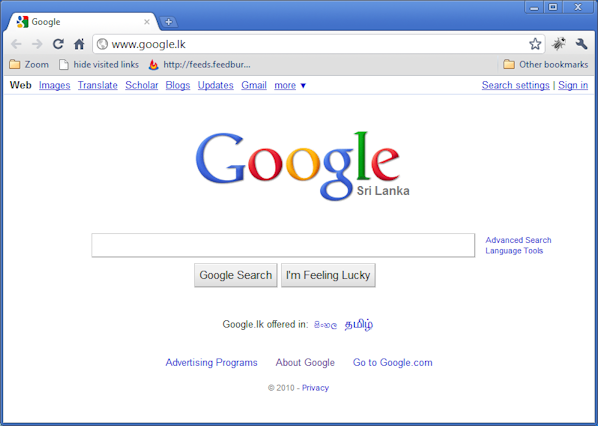 Google Chrome 6 Further more Chrome 6 adds support for form auto-fill and support for WebM videos. You can now synchronize auto-fill data, extensions and all their settings. Extension sync is probably the coolest new feature to be introduced, because you can take your extensions with you no matter what computer your are using. “WebM is an open, royalty-free, media file format designed for the web” which is already supported by software like Opera, VLC, Winamp and by YouTube.
The Stable and Beta channels of Google Chrome 6 have been updated to 6.0.472.55 for Windows, Mac, and Linux. This version contains the following fixes:
All
- [r58038] [r58039] Failures when using auto-complete (issue 51727, 52940)
- [r58106] Default search engine settings wiped out (issue 10913)
- Shift reload not working (issue 1906)
Windows
- [r58190] Importing data from other browsers when chrome is set as default (bug 53655)
- [r58288] Chrome can’t be made default browser when it already exists (bug 53656)
You can download the latest offline release here
By Shamly, on August 30th, 2010 Facebook (FB) has come a long way since it was launched in 2004 by Mark Zukerberg. It is one of the most popular social networking sites around, boasting more than 500 million active users and increasing daily.
Its growth has been met with a lot of criticism on a range of issues, especially the privacy of users, child safety, data mining etc. A large number of tech blogs have emerged recently, criticizing the recent changes made to the privacy policy. Some blogs have urged people to remove or delete their FB accounts altogether.
Click Here to Read the Full Post →
By Shamly, on August 13th, 2010 It has been a long time since I have worked on the KDE or any other linux graphical desktop environment. The latest release of KDE version 4.5 brings some improvements to the environment’s stability, performance and functionality. It is reported that this release has more than 16,000 bug fixes and many of the feature requests made by users have been filled.
Read more here
By Shamly, on August 12th, 2010 WordPress has finally decided to move on to supporting PHP version 5 and dropping support for PHP version 4 since PHP 5 adds many new features and design changes that make developing robust, secure, feature-rich software faster and easier. This decision is in-line with many open-source projects such as Joomla and Drupal, who have already decided to move to PHP 5. Not only will WordPress drop support for PHP 4, but will also discontinue support for MySQL 4 as well.
Our approach with WordPress has always been to make it run on common server configurations. We want users to have flexibility when choosing a host for their precious content. Because of this strategy, WordPress runs pretty much anywhere. Web hosting platforms, however, change over time, and we occasionally are able to reevaluate some of the requirements for running WordPress. Now is one of those times. You probably guessed it from the title — we’re finally ready to announce the end of support for PHP 4 and MySQL 4!
In less exciting news, we are also going to be dropping support for MySQL 4 after WordPress 3.1. Fewer than 6 percent of WordPress users are running MySQL 4. The new required MySQL version for WordPress 3.2 will be 5.0.15.
Click Here to Read the Full Post →
Page 4 of 15« First«...23456...»Last »
|
|


